
How Plumbers Can Improve Their Google Business Profile
Plumbers improve their Google Business Profile by verifying accurate primary categories, adding specific emergency and maintenance services, defining realistic service areas, uploading real work photos, and collecting verified client reviews. Maintaining active profile updates and fast review responses directly drives higher Google Maps 3-pack visibility.
Think about the last time a pipe burst in your home. Who did you call? Chances are, you opened Google, typed "plumber near me," and dialed one of the first three businesses you saw. That top spot in the local map pack isn't luck. It's the result of a well-optimized Google Business Profile. If your plumbing business is buried on page two (or worse, your listing is incomplete), you're handing high-intent leads straight to competitors.
The good news? You don't need a marketing degree to fix it. In this blog, we'll walk through GBP optimization step by step, from nailing your primary category and service areas to building a review engine, posting job photos, and avoiding suspension risks. We'll also cover local SEO essentials, schema markup, and a simple weekly routine to keep your profile active.
Ready to turn your profile into a 24/7 lead generator? Let's dive in, and for expert help, check out[Happy Rank](/).
Why Your Google Business Profile Beats Your Website
I’ll walk you through the foundation first, because skipping it is the most expensive mistake I see plumbers make.
Picture a burst pipe at 2 AM. Nobody is admiring your homepage. They’re tapping the first trustworthy result in the Map Pack. Lead-gen giants like HomeAdvisor and Angi dominate organic rankings but can’t crack the Map Pack. That’s your edge, and it’s a cool one.
Claiming, Verifying, and Securing Ownership
I once met a plumber whose profile was still owned by a web designer he’d fired years earlier. A ghost profile. It worked fine... until he needed to change his hours.
Make sure you’re the primary owner. Google verifies by:
- Postcard
- Phone
- Video
The Primary Category Is Your Highest-Leverage Field
Set your primary category to “Plumber.” Choosing “Contractor” is 1000% wrong, because it’s too vague to match emergency searches. Then add secondary categories only for services that actually earn you money:
| **Secondary Category** | **Use It If You...** |
|---|---|
| Drain Cleaning Service | Run jetting or snaking jobs |
| Water Heater Installation Service | Install tank or tankless units |
| Septic System Service | Handle septic work |
| Gas Installation Service | Are licensed for gas lines |
Don’t pad this list. Irrelevant categories dilute your local relevance.
Name, Address, and Phone (NAP) Consistency
Google cross-checks your details against directories, trade bodies, and your website. This is NAP consistency, and it’s about trust. Pick one format and use it character-for-character everywhere. “St.” in one place and “Street” in another? Google notices, and not in a good way.
Service Area Configuration for Mobile Plumbers
Most of you are Service Area Businesses (SABs)with no storefront. List specific cities and ZIP codes instead of a vague radius or county. Google considers distance when determining local rankings, based primarily on the searcher's location. Keep your service areas accurate so potential customers understand which cities and neighborhoods your plumbing business serves.
Quick checklist:
- Add only areas you truly serve
- Use city and ZIP names, not “within 50 miles”
- Keep them consistent with your website
Get these five pieces right and everything else in this guide gets easier. Skip them, and you’re polishing a storefront Google can’t find.
Reviews Are the Ranking Lever You Actually Control
I’ll walk you through the review engine, because this is the one part of local SEO you can influence every single week. Google’s own documentation says more reviews and positive ratings can improve your local ranking, and replying shows engagement. Simple, right? Most plumbers still ignore it.
Here’s what surprises people:review recency matters as much as the rating. A 4.7 with 200 reviews (newest from last Tuesday) beats a 4.8 with 30 reviews from two years ago. Homeowners comparing options can smell a stale profile instantly.
The “Ask at the Moment of Relief” System
This is a cool tip, and it’s the one I’d tattoo on every van. Ask for the review while the relief of a working drain is still fresh, ideally within 30 minutes of finishing the job.
- Send atext messagewith a direct link, not an email
- Use theshort review linkfrom your GBP dashboard
- Put aQR codeon invoices and on the van
I once watched a plumber switch from next-day emails to same-day texts. His requests went from “worked well... for a while” to a steady stream within a month. Email the next day? The customer has already forgotten the leak and moved on with their life.
What Not to Do (And Why It Can Cost You the Profile)
Buying reviews, asking friends, or offering discounts for reviews is 1000% wrong. It violates Google’s policies and can trigger profile suspension. Also avoid review gating, which means only asking happy customers. Google prohibits it, and yes, they notice.
Responding to Reviews (Especially the Bad Ones)
Reply to every review. Here’s the formula:
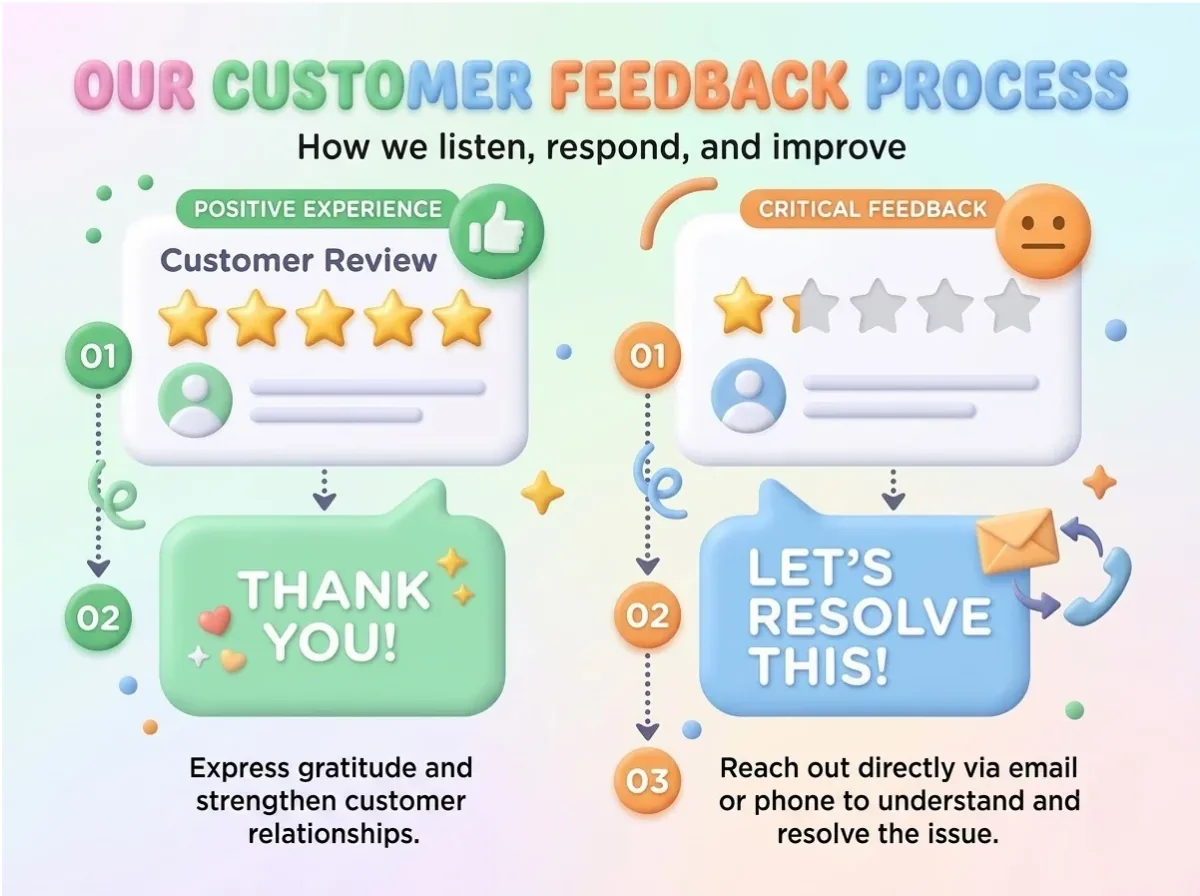
Remember, you’re not writing for the angry reviewer. You’re writing for the next 500 homeowners reading it. Keep your cool and let the customer feedback make you look like the adult in the room.
Photo Reviews and Team Incentives
Written reviews help build trust, while customer-uploaded photos can provide additional context about their experiences. Encourage customers to share genuine feedback without requesting specific ratings or content. Ask customers to snap a photo of the fixed sink or new water heater.
Consider team incentives too. Reward technicians who consistently ask for 5-star reviews. Here’s my strong opinion: reward theask, not the rating. Otherwise, you’re paying people to nudge customers, and that road ends badly.
Nail this system and your reviews become a compounding trust signal that works while you sleep. Next up, we’ll make your profile look as real as your reputation.
Make Your Profile Look Like a Real, Busy Business
I’ll walk you through the visual side of your Google Business Profile, because homeowners can’t judge your workmanship from a photo. They can judge whether you look like a real, active local company.
Why Stock Photos Undermine You
Stock photography is 1000% wrong for a plumber. That smiling model in spotless coveralls fools nobody, and Google may even reject posts that use stock imagery. I once saw a profile where the “technician” was clearly holding a wrench backwards. Trust: gone.
What to Photograph (and How Often)
Real job photos are your local credibility signal. Snap these:
- Before-and-afterpairs of drain jetting, water heater installs, and sewer line repairs
- Yourbranded vanand your team at work
- Thecamera monitorshowing root intrusion (this one is a cool tip, because it’s visual proof of the problem)
Aim for 2 to 3 fresh photos a week, or a few a month at minimum. Steady uploads signal a trading, current business.
Google Business Profile Posts as Micro-Content
Posts aren’t social media. They’re bottom-of-funnel conversion tools for people already looking at your listing. Post at least once a week, because irregular posting loses visibility. It worked well... for the plumbers who posted once in 2021 and then disappeared.
Post Types That Work for Plumbers
| **Post Type** | **Best Use** | **Staying Power** |
|---|---|---|
| Update | “Just finished a slab leak detection in [Neighborhood], here’s what we found” | Visible for about six months |
| Offer | Seasonal tune-ups, water heater flush discounts (use sparingly) | Urgency works best |
| Event | Only if you run a workshop or community event | Usually skip it |
Formatting Rules for Posts
Follow these and your posts will look sharp:
- Lead image of1200x900pxminimum, high contrast, no heavy text overlays
- Put your hook in thefirst 100 characters, before the “Read more” cutoff
- Add aCTA button(“Call now,” “Book,” “Learn more”) linking to a specificservice page, not your homepage
- Skip raw phone numbers in the post text and let theCall buttondo the work
Keep photos and posts flowing, and your profile stops looking like a forgotten directory listing. Next, we’ll connect it all to your website.
Your Website Is the House Your Profile Sends People To
I’ll walk you through the website side of things, because your GBP drives the call, but Google cross-references your site for relevance and trust signals. Think of the profile as the front door and the website as the house. Nobody stays in a house with no furniture.
Here’s your advantage: franchises have corporate content mills. You can write pages that sound like a real person who has actually stood in a crawlspace in your county. That’s a cool edge, so use it.
One Service, One Page (Not a Bullet List)
A single “Services” page rarely ranks for specific queries. I once audited a site where every service was crammed into one bulleted list. It ranked for nothing... except maybe “plumbing, general.” Build dedicated service pages for:
- Emergency plumbing
- Drain cleaning
- Water heater installation
- Slab leak repair
- Sewer line replacement
Write each one like you’re explaining the job at a kitchen table. Include realistic price ranges even if they vary. Homeowners love honesty, and Google loves content people actually read.
City-Specific Pages (Done Legitimately)
If you serve multiple towns, create location pages like /services/drain-cleaning/[city-name]. Each needs genuinely unique content: local building codes, recent jobs nearby, specific neighborhoods. Copy-pasting one page and swapping the city name is 1000% wrong.
Never create fake GBP listings at different addresses to rank in more cities. Google actively detects and suspends these, and I’ve watched it happen.
Schema Markup for Plumbers
Schema markup helps Google understand your business without guessing. Here’s what to implement:
| **Schema Type** | **What It Does** |
|---|---|
| Plumber(subtype of HomeAndConstructionBusiness) | Defines your business type |
| areaServed | Lists each city you cover |
| hasOfferCatalog | Itemizes your individual services |
| openingHoursSpecification | Reflects your emergency availability |
| Review and AggregateRating | Can displaystar ratingsin search results |
Don’t panic if this sounds technical. Most website platforms have plugins, or your developer can add it in an afternoon.
Mobile Speed and Click-to-Call
Emergency searches happen on mobile, usually from a bathroom floor. Make sure your site loads fast, and your phone number is a tappable click-to-call link. A customer who has to copy and paste your number is a customer calling your competitor.
Also keep holiday hours updated. An outdated listing that sends someone to a closed business earns complaints, not calls.
Get your website and profile telling the same story, and Google trusts you more. Next, we’ll cover the mistakes that quietly sink plumbers.
The Mistakes That Get Plumbers Suspended (or Ignored)
I’ll walk you through the final piece, because even a well-built profile falls apart without measurement and a steady habit. Let’s start with what can sink you.
I’ve seen a lot of plumbers do everything right and still lose to a competitor who simply showed up every week. Consistency is the unglamorous secret here.
The Biggest Suspension Triggers
Here are the mistakes I see most often:
- Keyword-stuffed business nameslike “Denver Plumber Emergency 24/7” violate Google’s guidelines and are a leading cause ofprofile suspension. Competitors can and do report it. It worked well... until someone hit the report button.
- Wrong hours, especially missingholiday updates, generate bad reviews faster than almost any other error.
- Buying reviews or review gatingis a temporary gain with a permanent risk. 1000% not worth it.
What to Measure (and What to Ignore)
Check your GBP Insights weekly. Here’s what matters:
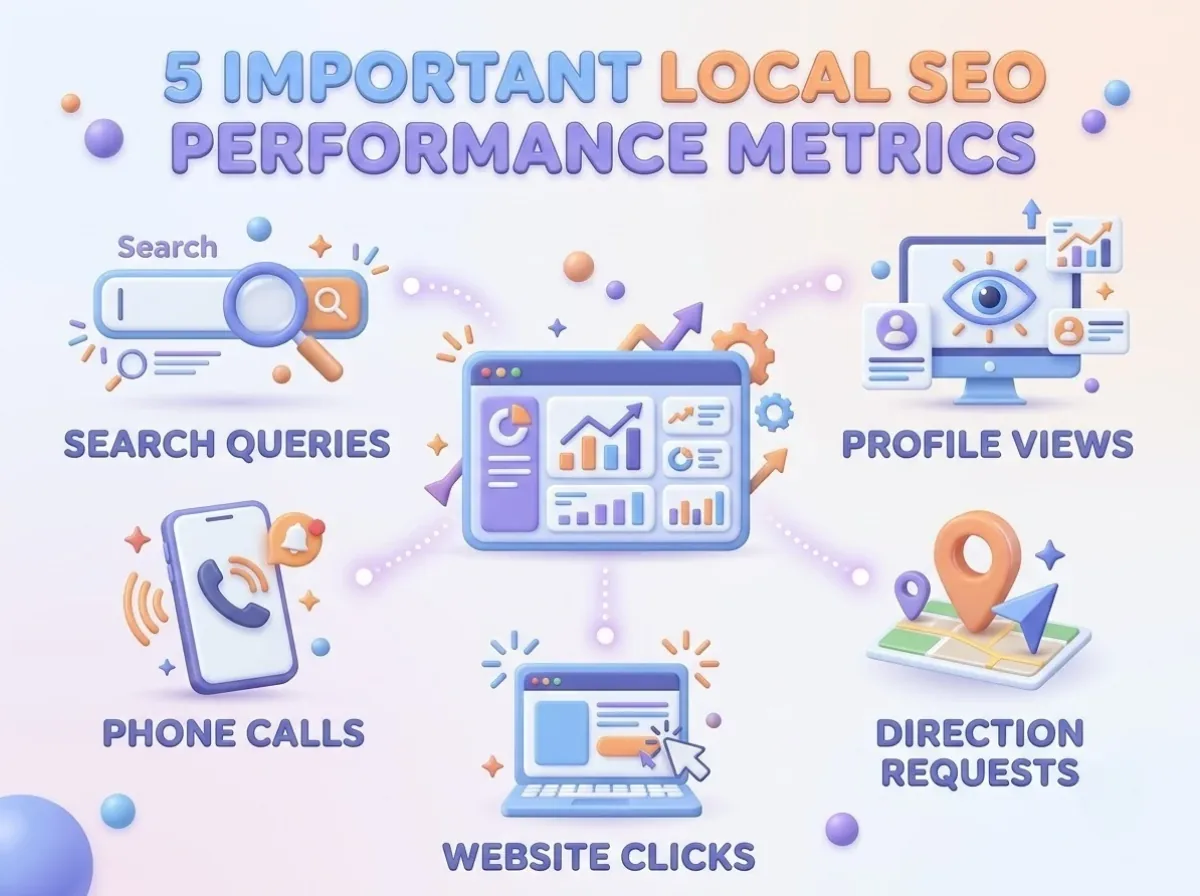
Ignore vanity metrics. A thousand photo views with zero calls means something is misaligned, usually your categories or service pages. Also check post performance(views and CTA clicks). Posts with custom images consistently beat stock photos.
The 30-Minute Weekly Maintenance Routine
This is a cool tip, and it’s the whole system in three short sessions:
- Monday (10 min):Add 2 to 3job photosfrom the previous week
- Wednesday (10 min):Publish oneUpdate post, like a completed job or a seasonal reminder about grease or roots
- Friday (10 min):Sendreview requestsfor the week’s completed jobs and reply to any new reviews
Thirty minutes. That’s less time than you spend arguing about lunch orders on a job site.
When to Revisit Categories and Services
Review your categories quarterly. If you add a service line, say bathroom remodels, add the matching secondary category and build a service page to go with it. Google also adds new categories over time, so check periodically for ones that fit your business.
The Compounding Asset
Unlike paid ads, which stop the moment you stop paying,GBP optimization builds a compounding local asset. Most plumbers leave relevance,distance, and prominence on the table. The competitor who does the basics (complete profile, steady reviews, real photos, weekly activity) wins the top three spots consistently.
Do the small things weekly, and your profile becomes a lead machine that keeps working long after you’ve clocked out. That’s the whole game.
Final Thoughts: Treat Your Profile Like a Sales Channel
I’ll leave you with the big idea, because everything in this blog comes back to one shift. Your Google Business Profile isn’t a one-time chore. It’s your primary storefront for emergency, high-intent searches.
Get the foundation right with the correct primary category, consistent NAP, and precise service areas. Build a steady review engine, post real job photos, and connect it all to service pages and schema markup. Then spend 30 minutes a week keeping it alive. That’s it. No magic, just consistency, and most of your competitors won’t bother.
If you’d rather have experts handle it,[Happy Rank](/)can help you climb the Map Pack while you stay busy fixing pipes. Either way, start this week. Your next burst-pipe customer at 2 AM is already searching.
When a homeowner's air conditioner stops working during summer or a furnace fails in winter, finding a reliable contractor becomes a priority. Most customers turn to Google to compare local providers, check reviews, and find nearby heating and cooling services. This makes an optimized Google Business Profile for HVAC contractors an important part of building local visibility and attracting service inquiries.
However, simply adding business hours, contact details, and a list of services is not enough. Contractors also need to showcase completed projects, highlight seasonal services, respond to customer reviews, and keep business information accurate. A well-maintained profile helps potential customers understand what a company offers before making contact.
With Happy Rank, HVAC businesses can monitor their Google Maps visibility, track local search rankings, and identify opportunities to strengthen their local SEO efforts. The right optimization strategy can turn profile interactions into meaningful business opportunities.
Build a Service-First Profile That Matches What Homeowners Actually Need
An effective Google Business Profile for HVAC companies should make it easy for potential customers to understand which services a contractor provides. Homeowners rarely search for a general HVAC company without a specific need. They are more likely to look for AC repair, furnace installation, heat pump maintenance, or emergency heating services. Organizing your profile around these customer needs helps communicate your expertise and makes your business information more useful to local searchers.
Choose Business Categories That Reflect Your Core HVAC Work
Business categories help Google understand what your company does and determine which searches may be relevant to your profile. Start by selecting the most accurate primary category that describes your main business activity, such as HVAC contractor. You can also add relevant secondary categories when they genuinely represent other services your company provides.
For example, an HVAC contractor offering heating installation, air conditioning repair, and furnace maintenance should select categories that accurately reflect its operations. Avoid adding unrelated categories simply to appear in more searches. Accurate categorization supports HVAC local SEO and helps set appropriate expectations for potential customers.
Turn Your HVAC Service List Into a Search-Relevant Service Menu
A broad service description does not always communicate the full range of work your company handles. Use the services section to highlight individual offerings and explain what customers can expect.
Consider including services such as:

Where available, add concise descriptions to explain each service. This creates a clearer HVAC service profile and helps potential customers identify whether your company can handle their requirements.
Write a Business Description That Explains Your Actual Value
Your business description should communicate what your company does, whom it serves, and what distinguishes its services. Mention your primary heating and cooling services, residential or commercial expertise, and the locations you serve. You can also highlight relevant strengths, such as maintenance programs, specialized equipment, or experience with different HVAC systems.
Use local HVAC keywords naturally rather than repeating city names and service terms unnecessarily. Focus on providing useful information instead of making unsupported claims.
A clear business description, accurate categories, and a detailed service menu establish a strong foundation for Google Business Profile optimization. Together, these elements help homeowners understand your offerings and make informed decisions when comparing local HVAC contractors.
Make Seasonal Profile Updates Part of Your HVAC Marketing Strategy
HVAC service demand changes throughout the year, and your Google Business Profile for HVAC contractors should reflect those shifts. Homeowners look for air conditioning repairs, cooling system maintenance, and installation services as temperatures rise. When colder weather approaches, searches often shift toward furnace inspections, heating repairs, and system replacements. Contractors who align their profile updates with these seasonal requirements can keep their services relevant to changing customer needs. Rather than treating profile management as a one-time task, make seasonal updates a regular part of your HVAC local SEO strategy.
Prepare Your Profile Before Peak Cooling and Heating Seasons
Seasonal preparation should begin before customers start searching for urgent HVAC assistance. Before summer, review your cooling-related services and highlight offerings such as AC inspections, air conditioning installation, and preventive maintenance. Similarly, update your heating service information before winter to emphasize furnace repairs, heat pump maintenance, and heating system inspections.
Review your service descriptions, photos, and business information to ensure they accurately represent your current offerings. If your company provides seasonal maintenance packages, use relevant profile content to explain their benefits and encourage customers to schedule appointments in advance. This approach helps position your business around the services homeowners are most likely to need.
Use Google Business Profile Posts to Address Seasonal Problems
Google Business Profile posts provide an opportunity to share timely updates, service information, and useful advice with potential customers. Instead of publishing generic promotional messages, create content around common seasonal HVAC problems.
For example, before summer, publish posts about signs of an inefficient AC unit, the importance of cooling system inspections, or common reasons an air conditioner struggles during hot weather. Before winter, focus on furnace maintenance, heating system preparation, and potential warning signs that require professional attention.
Include relevant project photos, concise descriptions, and clear calls to action. You can encourage homeowners to visit your website, learn more about a service, or contact your team. Consistent, useful updates keep your profile informative and support customer engagement.
Keep Availability and Business Information Accurate During Busy Periods
Seasonal demand can affect appointment availability and operating schedules. Make sure your HVAC business profile displays accurate regular hours, holiday hours, phone numbers, and service information. If your company offers emergency repairs or extended operating hours, communicate these services clearly without suggesting availability that your team cannot provide.
Also, review any seasonal changes to your service offerings and update relevant information promptly. Accurate details help customers understand when and how they can reach your business.
By connecting profile updates with seasonal HVAC requirements, contractors can maintain relevant business information, communicate service availability, and strengthen their Google Maps visibility throughout the year.
Use Real HVAC Project Photos to Demonstrate Your Expertise
Homeowners often want to see evidence of a contractor's work before choosing an HVAC company. A well-maintained Google Business Profile gives contractors an opportunity to showcase completed projects, equipment installations, and maintenance work through authentic photos. These visuals help potential customers understand the type of services a business provides and what its workmanship looks like. For HVAC contractors, project photography is more than a way to make a profile attractive. It can help establish credibility, communicate technical expertise, and strengthen local search visibility.
Show the Work Behind Your HVAC Services
Rather than relying on generic stock images, upload genuine photographs from completed service jobs. Real project photos give customers a clearer idea of your team's experience and the systems you work with.
Consider adding photographs of:
- AC installations:Show newly installed air conditioning units and completed cooling system projects.
- Furnace replacements:Feature properly completed heating system installations.
- Heat pump projects:Demonstrate experience with different heating and cooling equipment.
- Maintenance work:Share images of technicians inspecting, cleaning, or servicing HVAC systems.
- Ductwork installations:Display completed ductwork projects and related improvements.
Choose clear, well-lit photographs that accurately represent your services. Avoid sharing images that reveal customer addresses, personal information, or other private details without permission.
Create a Visual Portfolio That Answers Customer Questions
Your HVAC business photos should help potential customers understand the range and quality of your work. Organize your photography around different services so homeowners can quickly identify relevant examples.
For instance, before-and-after photos can demonstrate the results of equipment replacements or ductwork improvements. Images of technicians working with different HVAC systems can also communicate the range of projects your company handles.
| **Photo Type** | **What It Demonstrates** | **Customer Value** |
|---|---|---|
| AC installation | Cooling system expertise | Shows installation experience |
| Furnace replacement | Heating service capabilities | Builds confidence in heating work |
| Maintenance visits | Routine service experience | Highlights preventive care |
| Heat pump projects | Equipment knowledge | Demonstrates service variety |
| Completed ductwork | Installation workmanship | Shows attention to project details |
Maintain a Consistent Photo and Video Update Routine
Uploading photos should be an ongoing activity rather than something contractors do only when creating their profiles. Establish a simple process that encourages technicians to capture suitable project images after completing jobs.
A practical approach includes:
- Assigning a team member to collect and review project photos.
- Uploading relevant images regularly instead of adding them all at once.
- Using descriptive, accurate filenames when organizing images internally.
- Checking image quality before publishing.
- Obtaining customer permission when necessary.
Contractors can also use short videos to demonstrate completed installations or explain common HVAC services. Consistent visual updates help keep your Google Business Profile for HVAC companies informative and give potential customers more reasons to consider your business.
Turn Customer Reviews Into Proof of HVAC Service Quality
Customer reviews play an important role when homeowners compare HVAC contractors. Before scheduling an AC repair, furnace installation, or maintenance visit, many customers check what others have experienced with a company. Reviews on your Google Business Profile provide useful insights into service quality, communication, reliability, and customer satisfaction. For HVAC contractors, managing reviews is not just about building a higher rating. It is an opportunity to establish trust, demonstrate accountability, and understand what customers expect from their services. A consistent review management strategy can also support local SEO for HVAC businesses by strengthening their presence in local search results.
Encourage Detailed Feedback After Completed Service Calls
The best time to request a review is after completing a service and ensuring the customer has had an opportunity to evaluate the experience. Whether your team has repaired an air conditioner, installed a furnace, or performed routine maintenance, invite customers to share honest feedback.
Make the process convenient by sending a direct Google review link through email or text messages. You can also explain how customer feedback helps your business improve its services.
Consider these practices:
- Request reviews after completed service appointments.
- Send polite follow-up messages with a direct review link.
- Ask customers to describe their actual service experience.
- Avoid offering discounts, gifts, or other incentives in exchange for reviews.
- Never pressure customers to leave only positive feedback.
Respond to Reviews With Service-Specific Context
Responding to customer reviews shows that your company values feedback and takes customer experiences seriously. Avoid using identical responses for every review. Instead, acknowledge the specific service or concern mentioned by the customer while maintaining a professional tone.
| **Review Type** | **How to Respond** |
|---|---|
| Positive review | Thank the customer and mention the specific HVAC service they appreciated |
| Negative review | Acknowledge the concern, provide a calm response, and offer to resolve the issue offline |
| Neutral review | Appreciate the feedback and address any suggestions or concerns raised |
For negative reviews, avoid arguing publicly or sharing private customer information. A professional response should demonstrate a willingness to understand the problem and find an appropriate resolution.
Use Review Insights to Improve Your Customer Experience
Reviews can reveal recurring problems that may not be obvious through internal performance reports. Pay attention to feedback about appointment delays, technician communication, pricing transparency, and repair quality.
For example, repeated comments about delayed appointments may indicate a scheduling issue, while positive feedback about technician explanations could highlight a strength worth emphasizing in your business communication.
Review feedback regularly to identify:
- Common customer complaints and service concerns.
- HVAC services that receive consistently positive feedback.
- Opportunities to improve appointment scheduling.
- Communication gaps between technicians and customers.
- Areas where service quality needs attention.
By actively collecting, responding to, and learning from reviews, HVAC contractors can build stronger customer relationships and improve their Google Business Profile reputation. This approach helps establish credibility when homeowners compare local heating and cooling providers.
Measure Whether Your Google Business Profile Generates Real HVAC Leads
An optimized Google Business Profile for HVAC contractors should do more than improve online visibility. It should help potential customers discover your services, contact your team, and request appointments. However, profile views and search appearances alone do not indicate whether your optimization efforts are generating business opportunities. Contractors need to evaluate customer interactions and understand which activities contribute to inquiries and booked jobs. Regular performance monitoring helps identify gaps in your HVAC local SEO strategy and provides direction for future improvements.
Track the Profile Interactions That Matter
Google Business Profile performance data provides insights into how customers discover and interact with your business. Contractors should review available performance metrics to understand whether their profiles are attracting relevant local audiences.
Pay attention to these key indicators:
- Profile views:Understand how frequently customers encounter your business profile.
- Search queries:Identify the terms people use to discover your HVAC company.
- Website clicks:Measure how many visitors move from your profile to your website.
- Phone calls:Monitor customer interest in contacting your business directly.
- Direction requests:Understand how often customers request directions to your business location.
These metrics help evaluate customer engagement, but they should also be compared with actual inquiries, scheduled appointments, and completed service jobs.
Identify Where Your HVAC Business Is Losing Local Visibility
Your business may perform well in one neighborhood but struggle to appear in Google Maps results in another. This can happen because local search visibility varies depending on the searcher's location, competition, and relevance of the business to a particular query.
Use Google Maps rank tracking to understand how your HVAC company appears across different geographic areas. Geo-grid tracking can help identify neighborhoods where competitors have stronger visibility and locations where your business has opportunities to improve.
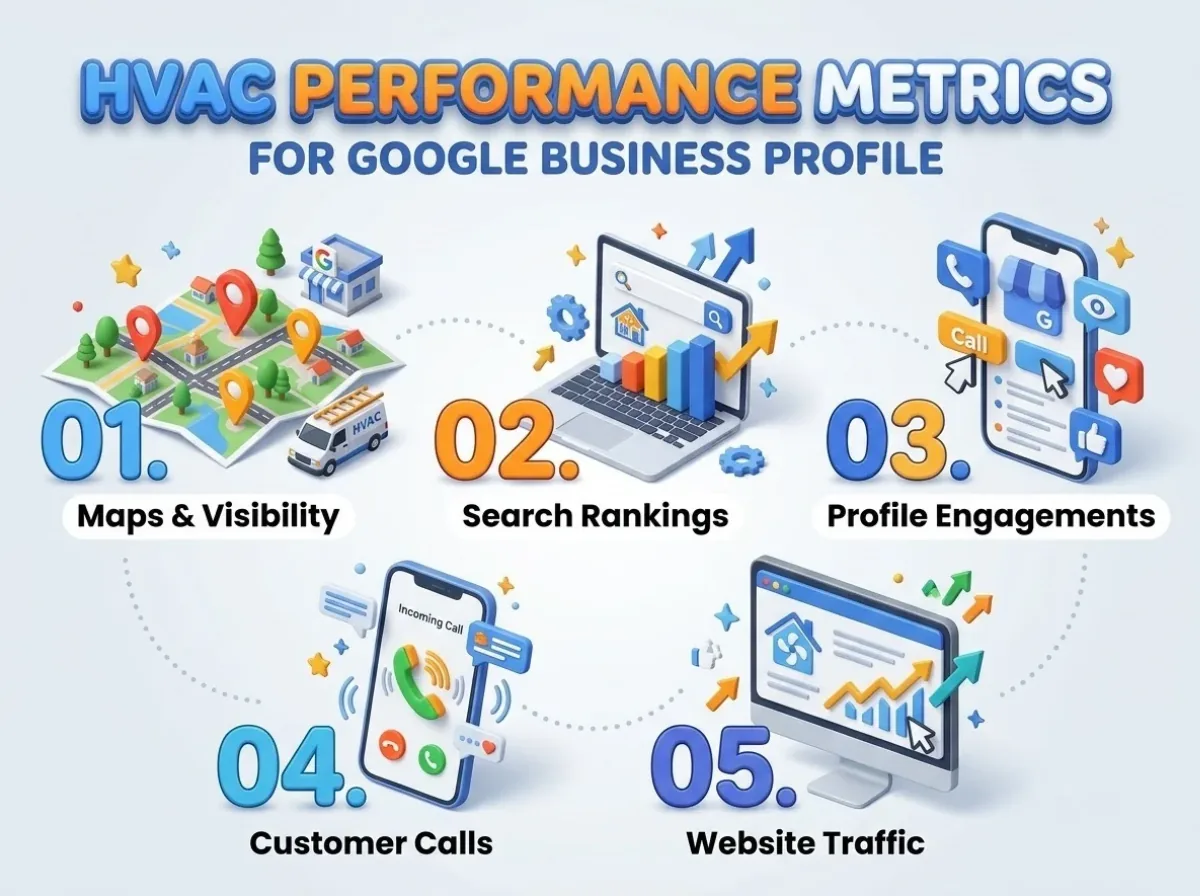
Monitoring these performance metrics helps HVAC contractors understand how effectively their Google Business Profile attracts and engages potential customers. By reviewing local rankings, profile interactions, phone calls, and website visits, businesses can identify visibility gaps, evaluate customer interest, and make informed decisions to improve their Google Business Profile optimization strategy.
Turn Performance Insights Into a Regular Optimization Routine
Tracking performance is useful only when contractors apply the findings to improve their profiles. Establish a monthly review process to identify outdated information, underperforming services, and changes in local competition.
A practical optimization routine includes:
- Audit:Review profile information, service details, and customer engagement.
- Optimize:Update business information and improve relevant service descriptions.
- Publish:Share fresh project photos, seasonal updates, and useful posts.
- Measure:Monitor rankings, profile interactions, and customer inquiries.
- Improve:Use performance insights to identify and address visibility gaps.
Conclusion
Optimizing a Google Business Profile for HVAC contractors requires consistent attention to service information, seasonal updates, project photos, customer reviews, and performance metrics. Each element helps potential customers understand your services, evaluate your expertise, and decide whether to contact your business. Rather than treating profile optimization as a one-time task, contractors should regularly review their information and make improvements based on customer needs and local search performance.
Managing these activities becomes easier when you have the right tools to monitor your progress.Happy Rank helps HVAC contractors track Google Maps visibility, monitor local search rankings, and identify opportunities to improve their local online presence. By combining accurate business information with ongoing optimization and performance tracking, HVAC companies can strengthen their local visibility, attract relevant service inquiries, and build lasting customer relationships.
Online reviews have become an important part of how customers discover and evaluate restaurants. Before choosing where to eat, diners often compare restaurant reviews, star ratings, and recent customer experiences to decide which business deserves their attention. These opinions help potential customers understand food quality, service standards, pricing, and the overall dining experience.
Beyond shaping a restaurant's online reputation, customer feedback can also contribute to its local search visibility. Factors such as review freshness,customer sentiment, and genuine feedback influence how people perceive a business when exploring nearby dining options. Reviews also provide useful insights into customer expectations and areas where restaurants can improve.
Understanding these connections helps restaurant owners make better decisions about their local SEO strategy. With a tool like[Happy Rank](/), restaurants can monitor local search performance, track visibility trends, and better understand how their online presence supports customer discovery.
How Review Signals Shape a Restaurant's Local Search Presence
Restaurant reviews play an important role in shaping how customers perceive a business and discover it through local searches. When people search for nearby dining options, they often compare ratings, review counts, and recent customer experiences before making a decision. These elements contribute to a restaurant's online reputation and influence how confidently potential customers choose between competing businesses. Understanding individual review signals helps restaurant owners recognize what supports their local search visibility.
The Relationship Between Review Ratings and Local Search Performance
Star ratings provide customers with a quick overview of other diners' experiences. A restaurant with consistently positive ratings may attract more attention than a competitor with lower ratings, particularly when both appear for similar local searches.
Google considers several factors when determining local search results, including relevance, distance, and prominence. Reviews and ratings can contribute to prominence, but they are not the only factors that determine rankings.
Restaurants should pay attention to:
- Average star ratings:Help potential customers form an initial impression of the restaurant.
- Rating consistency:Reflects how customers perceive the overall dining experience over time.
- Customer feedback quality:Provides context behind the numerical rating.
- Rating changes:Help identify improvements or emerging service concerns.
Why Review Volume Can Influence Restaurant Discoverability
The number of reviews a restaurant receives can help customers understand how many people have shared their experiences. A business with a substantial collection of genuine reviews may appear more established than one with very limited feedback.
However,review volume should not be treated as a direct guarantee of higher search rankings. Restaurants should focus on encouraging authentic feedback from customers rather than collecting reviews simply to increase their numbers.
A healthy review profile can help businesses:
- Demonstrate ongoing customer engagement.
- Provide potential diners with more experiences to evaluate.
- Build confidence through varied customer perspectives.
- Identify recurring opinions about food, service, and atmosphere.
How Review Freshness Reflects Ongoing Customer Experiences
Review freshness refers to how recently customers have shared feedback about a restaurant. Recent reviews help potential diners understand whether the business continues to deliver a satisfactory experience.
For example, a restaurant with positive reviews from the past few weeks may appear more relevant to customers evaluating its current service than one whose feedback is several years old.
Maintaining consistent review activity can help restaurants demonstrate ongoing customer engagement. Owners should monitor recent feedback, identify changing customer sentiment, and address recurring concerns.
Ultimately, ratings, review volume, and freshness work together to shape a restaurant's reputation. Paying attention to these signals helps businesses understand their position in competitive local markets and make informed improvements to their restaurant local SEO efforts.
What Customer Reviews Tell Search Engines About Restaurant Relevance
Customer reviews contain valuable information about how people experience a restaurant. Beyond star ratings, written feedback often includes details about food specialties, dining options, service quality, and location. These descriptions help potential customers understand what a restaurant offers before visiting. They also contribute to the business's overall online presence by providing genuine context about its services and customer experiences.
Understanding how review content communicates restaurant relevance can help owners recognize the broader value of customer feedback in their local SEO strategy.
How Review Language Reflects Restaurant Services and Specialties
Customers naturally use specific words and phrases when describing their dining experiences. They might mention particular dishes, cuisines, dietary options, or restaurant features. These descriptions give other customers a clearer idea of what to expect.
For example, a customer reviewing an Italian restaurant might mention its pasta dishes, family-friendly atmosphere, or vegetarian menu. Such details provide useful information about the restaurant's specialties.
Common review topics include:
- Food specialties:Pizza, seafood, Italian cuisine, desserts, or regional dishes.
- Dining experiences:Family dining, romantic dinners, casual meals, or group gatherings.
- Restaurant facilities:Outdoor seating, parking availability, and accessible dining areas.
- Service quality:Staff friendliness, order accuracy, and waiting times.
These naturally occurring descriptions can help customers evaluate whether a restaurant matches their preferences.
Why Location-Specific Mentions Add Context to Customer Feedback
Location-related details can make restaurant reviews more informative. Customers sometimes mention nearby neighborhoods, popular landmarks, shopping areas, or accessibility when describing their visits.
For instance, a review might explain that a restaurant is convenient for people visiting a nearby business district. This information helps potential diners understand the restaurant's location and surroundings.
Consider these examples:
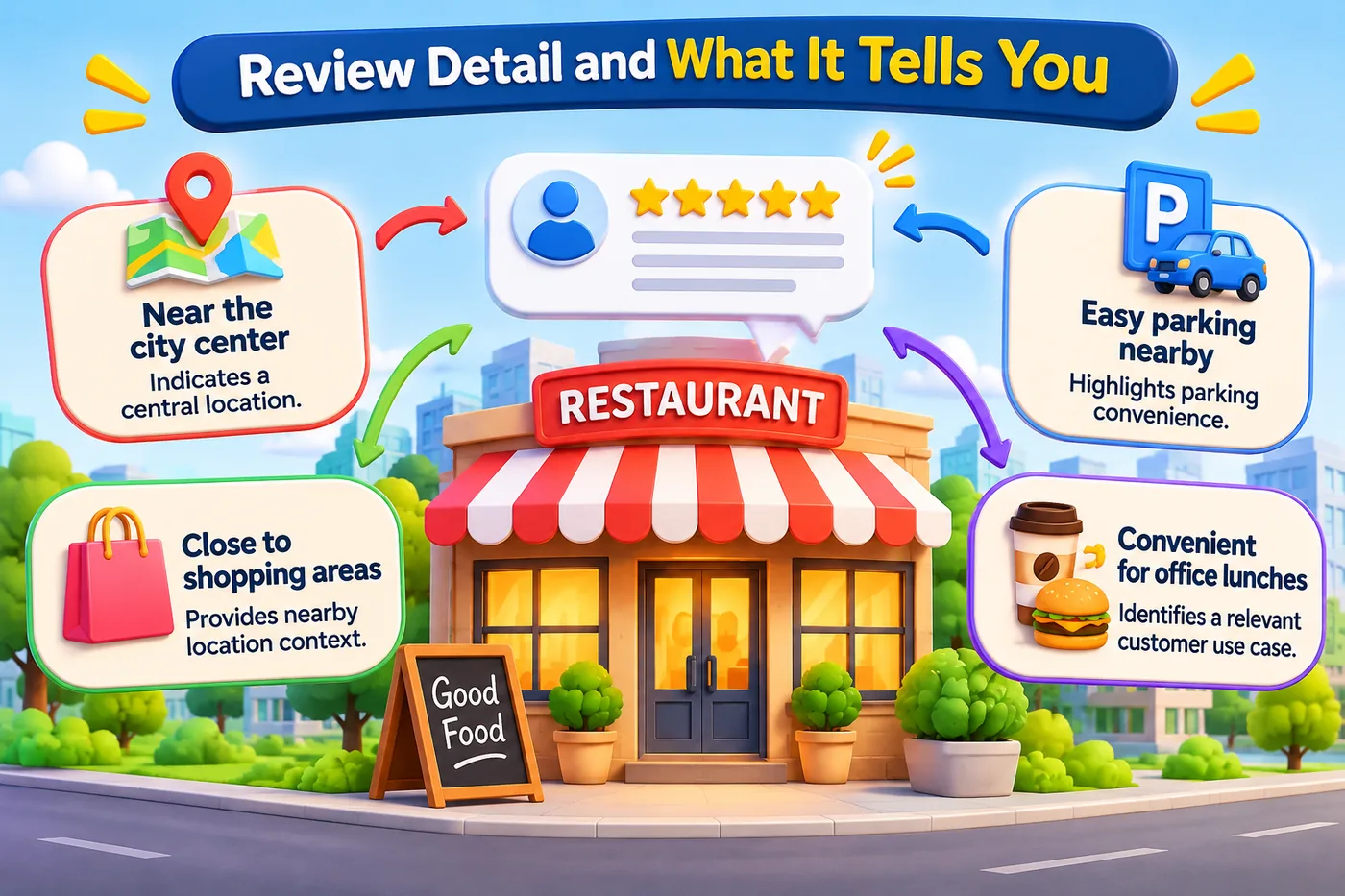
Restaurants should allow customers to describe their experiences naturally rather than requesting specific location keywords in reviews.
How Different Review Topics Reveal Customer Expectations
Review content also highlights what customers value most when choosing a restaurant. Repeated mentions of particular features can reveal important customer preferences.
For example, restaurant owners may notice recurring feedback about:
- Food quality:Taste, freshness, presentation, and portion sizes.
- Pricing:Affordability, menu value, and transparency.
- Atmosphere:Cleanliness, seating arrangements, and overall ambiance.
- Service:Staff behavior, order accuracy, and response times.
- Convenience:Reservations, delivery options, and operating hours.
These insights help restaurants understand their audience and improve their offerings. Although review language provides useful context for customers and search engines, including particular keywords in reviews does not guarantee better rankings. Authentic feedback and a relevant, accurate business profile remain important parts of restaurant local search visibility.
How Review Patterns Reveal a Restaurant's Reputation Strengths and Weaknesses
Individual reviews provide snapshots of customer experiences, but examining multiple reviews can reveal broader patterns in a restaurant's reputation. Repeated comments about food quality, staff behavior, cleanliness, or waiting times help owners understand what customers appreciate and where improvements may be necessary. These patterns also influence how potential diners perceive a restaurant when comparing local options.
Monitoring customer sentiment and recurring feedback allows restaurant owners to make informed operational decisions while strengthening their online reputation.
Identifying Recurring Positive Feedback Across Customer Reviews
Positive reviews often highlight the experiences that make customers choose a restaurant and recommend it to others. When similar compliments appear consistently, they can reveal the business's strongest qualities.
For example, customers might repeatedly praise freshly prepared meals, friendly staff, generous portions, or a welcoming atmosphere. These comments help restaurant owners identify which aspects of their service contribute most to customer satisfaction.
Look for recurring positive feedback about:
- Food consistency:Customers appreciate reliable taste, freshness, and presentation.
- Staff friendliness:Positive interactions can encourage repeat visits and recommendations.
- Restaurant atmosphere:Clean surroundings and comfortable seating improve dining experiences.
- Value for money:Customers often appreciate reasonable pricing and satisfying portions.
Understanding these strengths helps businesses maintain the experiences that customers already value.
Understanding Negative Review Trends Before They Affect Customer Perception
Negative reviews can reveal operational problems that might otherwise go unnoticed. While an occasional complaint does not necessarily indicate a serious issue, repeated concerns about the same experience deserve attention.
Restaurant owners should examine recurring complaints instead of reacting only to individual ratings.
| **Common customer complaint** | **What restaurants should investigate** |
|---|---|
| Long waiting times | Staff scheduling and order preparation |
| Incorrect orders | Order-taking and kitchen communication |
| High prices | Menu pricing and perceived value |
| Poor cleanliness | Cleaning routines and maintenance |
| Unfriendly service | Staff training and customer interactions |
Addressing these issues can improve customer satisfaction and reduce the likelihood of similar complaints appearing in future online restaurant reviews.
Comparing Customer Sentiment With Competing Restaurants
Competitor reviews provide another way to understand a restaurant's reputation within its local market. Examining customer feedback from similar businesses can reveal what diners expect and which experiences influence their choices.
Restaurant owners can compare:
- Customer satisfaction:What customers consistently appreciate about competing restaurants.
- Service expectations:Which service-related issues receive the most attention.
- Food preferences:Popular dishes, menu variety, and cuisine-related feedback.
- Reputation gaps:Areas where competitors receive criticism but the restaurant performs well.
This comparison helps businesses identify opportunities to differentiate their services and improve the dining experience.
By examining positive feedback, negative review trends, and competitor sentiment, restaurants can develop a clearer understanding of their reputation. These insights support better business decisions and help strengthen local search visibility through improved customer experiences and a more trustworthy online presence.
How Reviews Influence Restaurant Discovery and Customer Decisions
Online reviews influence how customers discover restaurants and decide where to dine. When people search for nearby places to eat, they often compare customer experiences before selecting a business. Ratings, written feedback, and recent reviews help them evaluate whether a restaurant meets their expectations. This makes customer trust and online reputation important parts of the restaurant discovery process. For businesses competing in crowded local markets, positive and informative feedback can make their profiles more appealing to potential diners.
Why Customers Compare Reviews Before Visiting a Restaurant
Customers rarely rely on a restaurant's name or location alone when deciding where to eat. They often examine reviews to understand the experiences of previous visitors. A restaurant with detailed, recent, and positive feedback may attract more attention from people comparing similar dining options.
Before making a decision, customers commonly evaluate:
- Star ratings:Provide a quick overview of customer satisfaction.
- Recent experiences:Help diners understand current food and service quality.
- Customer recommendations:Highlight popular dishes and dining experiences.
- Negative feedback:Reveals potential concerns that customers may want to avoid.
- Restaurant responses:Show how businesses address customer concerns.
These factors help potential diners make informed choices and can influence which restaurant receives their attention.
How Review Content Supports Different Restaurant Search Intents
Customers use different search terms depending on their dining preferences, budgets, and immediate needs. Reviews can provide additional information that helps them determine whether a restaurant matches their search intent.
For example, someone searching for a family-friendly restaurant may pay attention to comments about seating arrangements, menu options, and service. Similarly, a customer looking for affordable dining may prioritize feedback about pricing and portion sizes.
| **Customer search intent** | **Review details customers may examine** |
|---|---|
| Best family restaurants nearby | Family-friendly atmosphere and seating |
| Affordable restaurants | Pricing, portions, and value for money |
| Restaurants with outdoor seating | Patio availability and dining atmosphere |
| Vegetarian restaurants | Vegetarian dishes and menu variety |
| Restaurants for special occasions | Ambiance, service, and food presentation |
Relevant customer experiences help diners evaluate their options and make more confident decisions.
The Connection Between Review Trust and Restaurant Profile Engagement
Trustworthy reviews can encourage customers to explore a restaurant's Google Business Profile further. Once potential diners develop confidence in a business, they may take additional steps to learn more or plan a visit.
These actions can include:
- Visiting the restaurant's website to explore the menu.
- Calling to confirm operating hours or availability.
- Requesting directions through Google Maps.
- Checking reservation options before visiting.
- Exploring photographs and additional customer reviews.
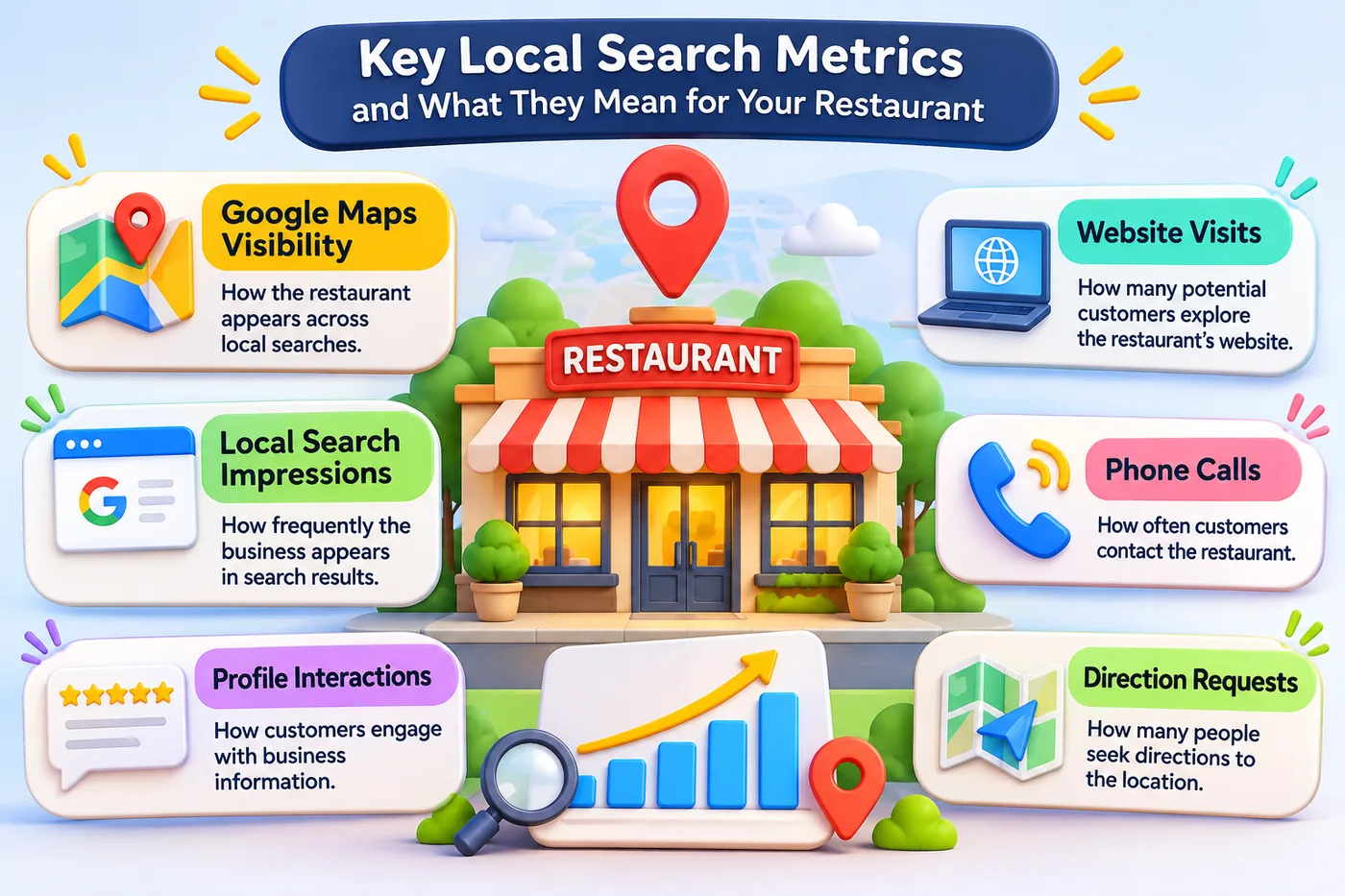
These interactions provide useful indicators of customer interest. Restaurants should monitor profile engagement, website visits, calls, and direction requests to understand how people interact with their online presence.
Ultimately, authentic reviews help bridge the gap between restaurant discovery and customer decisions. By maintaining a trustworthy reputation and delivering consistent dining experiences, businesses can improve customer confidence and support stronger restaurant local search visibility.
How Restaurants Can Measure the Local Search Impact of Customer Reviews
Monitoring customer reviews is only one part of managing a restaurant's online reputation. Restaurant owners should also understand how review activity relates to their visibility and customer engagement across local search platforms. Tracking relevant performance indicators helps businesses identify changes in customer perception, evaluate their local SEO performance, and recognize opportunities to improve their online presence.
Tracking Review Performance Beyond Average Star Ratings
An average star rating provides a quick overview of customer satisfaction, but it does not explain the complete reputation picture. Restaurants should monitor multiple review performance metrics to understand how customers perceive their services over time.
Important indicators include:
- Review volume:Tracks how many customers share their experiences.
- Average star rating:Shows the overall rating customers give the restaurant.
- Review freshness:Helps identify whether customers are sharing recent feedback.
- Customer sentiment:Reveals recurring positive and negative opinions.
- Review response activity:Shows how consistently the restaurant acknowledges customer feedback.
Examining these indicators together provides a more complete understanding of the restaurant's online reputation.
Connecting Review Trends With Local Search Performance
Review activity should be evaluated alongside other local search metrics. This helps restaurant owners understand whether changes in customer feedback coincide with improvements or declines in online visibility and engagement.
For example, a restaurant might notice an increase in recent positive reviews alongside more direction requests or website visits. Examining these trends together can help identify possible relationships between reputation and customer interest.
Restaurants can use tools like Happy Rank to monitor Google Maps visibility, track local ranking trends, and understand how their search presence changes over time.
Using Customer Feedback to Improve Long-Term Local Visibility
Performance data becomes more useful when restaurants turn customer feedback into practical improvements. Instead of focusing exclusively on ratings, owners should identify recurring concerns and make changes that improve the overall dining experience.
A practical approach includes:
- Reviewing customer feedback regularly to identify repeated concerns.
- Improving food quality, service consistency, and restaurant cleanliness.
- Updating business information when menu options, services, or operating hours change.
- Encouraging genuine customer feedback without offering incentives for positive reviews.
- Monitoring local search performance to evaluate changes over time.
Consistent improvements can help restaurants build stronger customer relationships and maintain a trustworthy online presence.
Ultimately, measuring review performance alongside local search indicators helps restaurant owners make informed decisions. By combining review monitoring, customer experience improvements, and visibility tracking, businesses can develop a more sustainable restaurant local SEO strategy.
Conclusion
Restaurant reviews influence more than customer opinions. They help shape how people discover, evaluate, and choose local dining businesses. Factors such as star ratings,review volume,review freshness, and customer sentiment contribute to a restaurant's online reputation and influence customer confidence. Genuine feedback also provides valuable insights into food quality, service standards, and areas that need improvement.
For restaurants competing in busy local markets, managing customer feedback should be an ongoing part of their local SEO strategy. Monitoring review trends alongside Google Maps visibility, profile interactions, and local search performance helps businesses understand their online presence more effectively.
Tools like[Happy Rank](/)make it easier for restaurants to track local search visibility, monitor ranking trends, and identify opportunities to improve their digital presence. By combining authentic customer feedback with consistent service improvements, restaurants can build trust, attract potential diners, and strengthen their position in local search results.
Frequently asked questions
What is the single most important GBP setting for plumbers?
Choosing 'Plumber' as your primary category and selecting only relevant secondary categories like 'Drainage service' or 'Heating contractor'.
How should plumbing businesses configure their service areas on Google Maps?
As a Service Area Business (SAB), hide residential addresses if you don't receive customers at your shop and designate specific cities, postal codes, and suburbs you actively service.
Do before-and-after photos help plumber Google Maps rankings?
Yes. Authentic photos of pipe installations, water heater replacements, and clean bathroom repairs increase customer engagement signals and prove real-world prominence.
How quickly should a plumber respond to customer reviews?
Aim to respond within 24 hours. Acknowledging reviews promptly shows active business operations and reliability, both to Google and prospective customers.
How can plumbers track if their profile optimizations are working?
Monitor calls, direction requests, and website clicks in GBP Performance insights, paired with geo-grid rank heatmaps to verify expansion in the local 3-pack.