
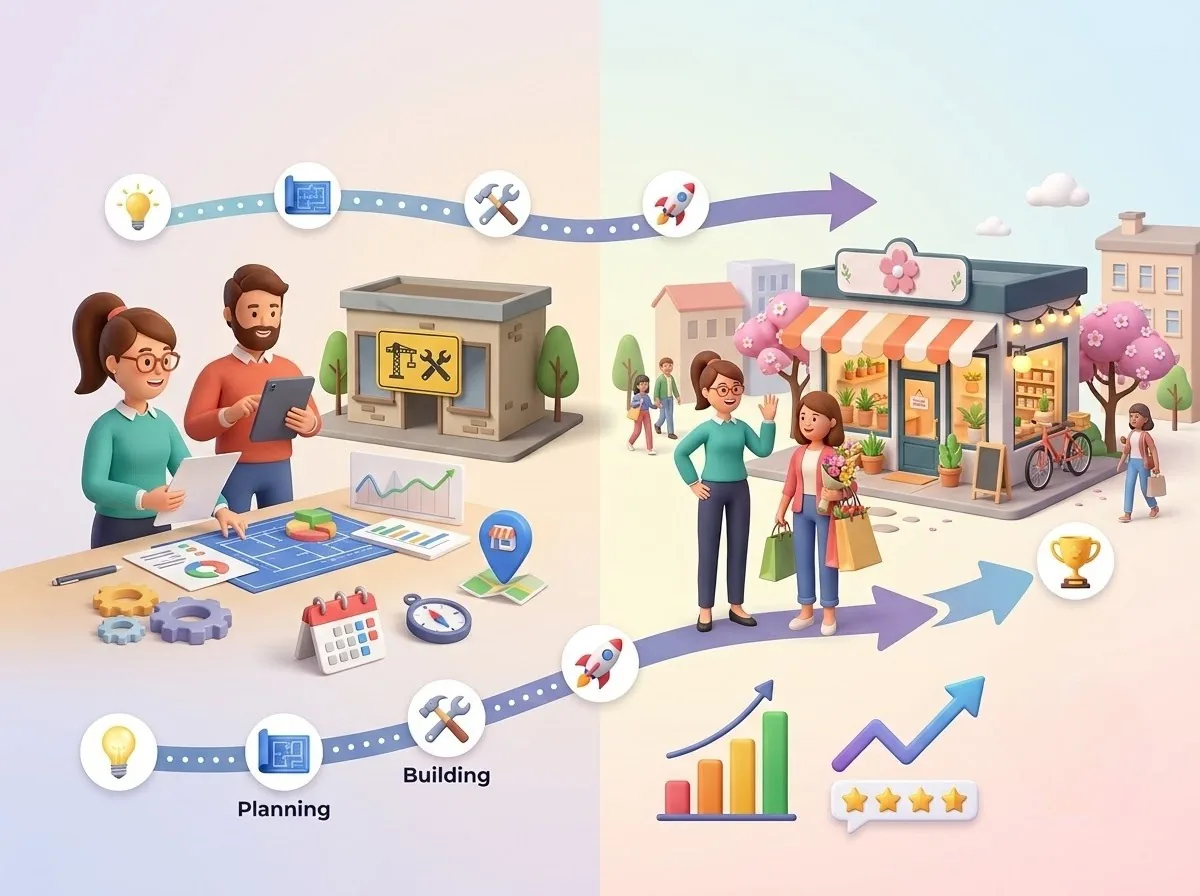
The Complete Guide to Improving Local Search Visibility
To improve local search visibility, complete your Google Business Profile, keep NAP consistent, publish helpful local content, earn steady reviews, stay active with posts and photos, build local authority, track geo-grid rankings across neighborhoods, monitor competitors, and connect visibility to calls, direction requests, and website clicks.
Ever wondered why your business appears at the top of Google Maps in one neighborhood but barely shows up in another? That’s the challenge of local search visibility. Ranking locally is not just about having a Google Business Profile or adding a few location-based keywords to your website. It is about building the right local SEO signals, earning customer trust, and understanding how your visibility changes across different areas.
In this guide, we’ll break down how to improve your local search ranking, strengthen your Google Maps rankings, optimize your business information, build reviews, create stronger local content, monitor competitors, and measure the actions that matter, such as calls, website visits, and direction requests. We’ll also look at how tools like Happy Rank can help you track local performance and identify where your business has room to grow.
Ready to turn local visibility into a more consistent source of customers? Let’s get started.
Build the Local Search Foundation Before Trying to Rank
I've lost count of how many businesses I've seen spend money on ads and link building while their basic profile details were wrong. Before you chase rankings, get the foundation right. Everything else in your local SEO strategy sits on top of it.
Start With a Complete and Accurate Google Business Profile
Early in my career, I audited a plumbing company that kept complaining about slow phones. The cause was simple: their Google Business Profile listed a phone number from an office they'd left two years earlier. Fixing one field brought their calls back within weeks.
Your profile is often the first impression a customer gets, so treat every field as important:
| Profile Element | What to Check | Why It Matters |
|---|---|---|
| Business name | Matches your real-world branding | Builds trust and avoids confusion |
| Primary and secondary categories | Reflect your actual services | Helps Google match you to searches |
| Address or service area | Accurate and up to date | Supports local search visibility |
| Phone number and website | Working and consistent | Drives calls and clicks |
| Business hours | Includes holiday updates | Prevents frustrated customers |
| Services and products | Fully listed | Improves relevance |
| Business description | Clear, helpful, not stuffed | Explains what makes you different |
| Photos | Fresh and authentic | Encourages engagement |
Make Your Website Support Your Local Presence
Your website should back up everything your profile claims. Here's what I check first:
- Keep business details identical to your profile
- Create service-focused pages for each core offering
- State your locations or service areas clearly
- Make contact information easy to find
- Optimize for mobile users, since most local searches happen on phones
- Connect your content to the services listed on your profile
If your profile says you offer emergency repairs, but your site never mentions them, you're sending mixed signals.
Keep Your Business Information Consistent Everywhere
Your name, address, and phone number (NAP) should look the same across every local directory and business listing. I once worked with a dentist whose clinic appeared under three slightly different names online. Once we cleaned that up, their listings stopped competing with each other.
Watch for these common problems:
- Outdated addresses from previous locations
- Old phone numbers still live on directories
- Abbreviation differences, like "Street" versus "St."
- Duplicate listings created by past owners or agencies
Consistency builds trust, and trust makes your business easier for search engines to discover and confirm.
Create Location-Relevant Content That Actually Helps Customers
Good local search optimization goes beyond swapping a city name into a template. Content that genuinely helps customers works far better. Consider:
“I've seen sites with fifty near-identical city pages and almost no traffic. One genuinely useful page beats ten thin ones every time.”
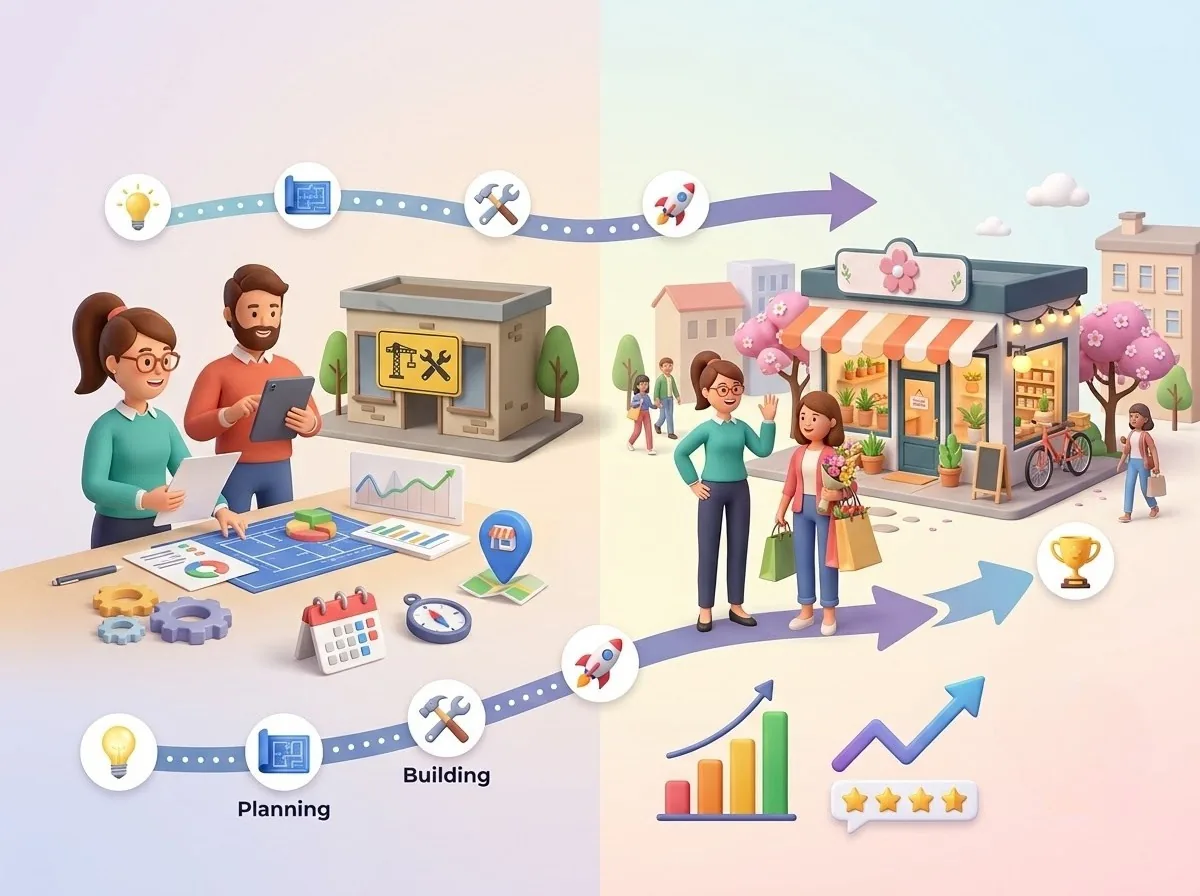
How Happy Rank Fits Into This Foundation
This section sets up the information foundation that Happy Rank helps you monitor through its Google Business Profile integration and location management features, so errors get caught before they cost you customers.
With accurate details, a supportive website, consistent listings, and useful content in place, you've built the base your local visibility depends on. Next, we'll look at the signals that decide who gets seen.
Optimize the Signals That Influence Local Search Visibility
Once your foundation is solid, the next question is what actually pushes one business above another in the results. Over the years, I've learned that Google isn't guessing. It weighs a handful of signals, and the businesses that understand them tend to win more often.
Understand the Three Core Local Search Signals
Every local search ranking comes down to three factors:
- Relevance: Does your business match what the person searched for?
- Distance: How close are you to the searcher?
- Prominence: How established and trusted is your business?
Years ago, a client asked me to "fix" their distance problem. They were frustrated that a competitor two blocks closer to the city center kept outranking them. I told them what I'll tell you: you can't move your building, so don't waste energy fighting proximity. Put your effort into relevance and prominence, because those are the signals you can actually influence.
Choose the Right Business Categories and Services
Your primary category carries more weight than almost any other profile setting. Get it wrong, and everything else has to work harder.
- Pick the primary category that best describes your main service
- Add secondary categories only when you genuinely offer those services
- Make sure your listed services match what you really do
- Avoid irrelevant categories and keyword stuffing
I once reviewed a salon that had added eleven categories, including some they never offered. Their relevance was so diluted that they ranked for very little. After we trimmed it to four accurate ones, they started appearing for the searches that mattered.
Strengthen Your Website's Local Relevance
Your website is where you prove what your profile claims. Strong local SEO content usually includes:
- Service-specific pages with real detail
- Clear location relevance through addresses, service areas, and local references
- Internal links that connect your services and location pages
- Localized FAQs that answer real customer questions
- Helpful writing instead of repeated keywords
If a page reads naturally to a customer, it usually reads well to Google too.
Use Structured Data to Clarify Your Business
Structured data is a way of spelling out your business details so search engines don't have to guess. I think of it as handing Google a clean fact sheet. LocalBusiness schema can include:
- Business name
- Address
- Phone number
- Business hours
- Services offered
It won't magically boost your rankings, but it helps search engines interpret your business correctly, and clarity supports local search optimization.
Build Local Authority Beyond Your Own Website
Prominence is built outside your site as well as on it. Think of it as your reputation in the community, online and off. Good sources include:
- Relevant local directories
- Community organizations
- Local partnerships and sponsorships
- Local media and PR coverage
- Relevant local backlinks from trusted sites
One landscaping client sponsored a youth sports team and earned a link from the league's website. That single link wasn't a trick. It was a real signal that the business belonged to the community. That's the mindset I recommend: citations and backlinks aren't isolated ranking hacks; they're evidence of a trusted local business.
With relevance, categories, structured data, and authority working together, you're sending Google consistent proof that you deserve to be seen. Next, let's look at how that visibility actually plays out on the map across the areas you serve.
Improve Your Google Maps Visibility Across the Areas You Serve
Here's where local SEO gets really interesting. You can have a perfect profile and a well-built website and still be invisible in half your service area. This is the section where I stop guessing and start measuring, and it's where Happy Rank earns its place in the workflow.
Why One Google Maps Ranking Does Not Tell the Whole Story
Local rankings depend heavily on where the searcher is standing. A business can rank #1 right next to its address and sit on page two just a few miles away.
I learned this the hard way with a bakery client. The owner searched from the shop every morning, saw the top spot, and assumed everything was fine. Meanwhile, customers in the next neighborhood over couldn't find her. Her sales from that side of town were flat, and she had no idea why.
Checking Google Maps rankings manually from one location gives you an incomplete picture. You're seeing a single data point and treating it like the whole map.
Measure Rankings Across a Geographic Area
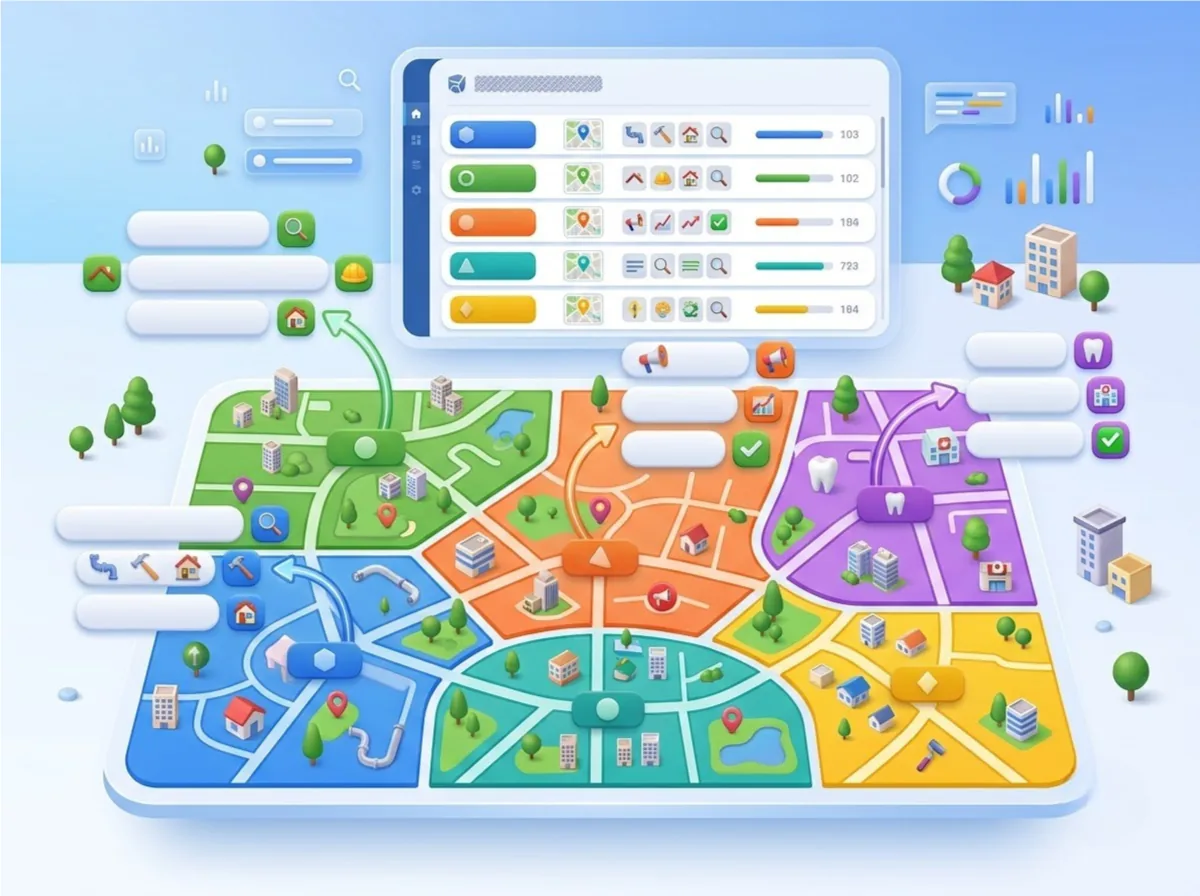
The fix is geo-grid tracking. Instead of checking one spot, you scan multiple points around your business and see how your local search ranking changes from one area to the next. With a grid like this, you can:
- Run searches from many points across your service area
- See neighborhood-level visibility at a glance
- Spot your strongest and weakest areas
- Track how your visibility changes over time
When I first saw a geo-grid for a client, it was a real eye-opener. Green circles clustered around the office, fading to red just a mile out. No spreadsheet had ever shown me that so clearly.
Track the Keywords That Matter to Your Business
Not every keyword deserves your attention. Focus on the searches that bring in real customers:
For multi-location businesses, I always group keywords by location, because what works in one area may not apply in another.
Identify Which Competitors Are Winning Nearby
Your biggest local competitors aren't always the ones you expect. By comparing rankings across individual map points, you can see who consistently beats you and where. Look for:
- Areas where one competitor outranks you repeatedly
- Patterns across several points, not one-off fluctuations
- Competitors who dominate certain neighborhoods
One restaurant client assumed a big chain was their main threat. The data showed a small café two streets over was taking most of their lost visibility. Once we knew the real rival, we knew what to study.
Turn Ranking Gaps Into an Optimization Plan
Data only helps if you act on it. I follow a simple workflow every time:
| Step | Action |
|---|---|
| 1. Scan | Run a geo-grid scan for your priority keywords |
| 2. Identify | Mark the weak areas on the map |
| 3. Investigate | Look for causes, such as competitor strength or thin content |
| 4. Optimize | Improve your profile, website, or reviews for those areas |
| 5. Re-scan | Run the scan again after changes |
| 6. Measure | Compare results and decide what to do next |
Now that you can see where you're strong and where you're slipping, the next step is building the trust signals that push you higher. Let's look at how reviews and profile engagement fit in.
Turn Reviews and Profile Engagement Into Visibility Signals
If rankings are the scoreboard, reviews and engagement are the plays that move the score. I've watched businesses with average websites outrank polished competitors simply because customers kept talking about them. Here's how to make that happen on purpose.
Build a Consistent Review Generation Process
Strong customer reviews don't happen by accident. They happen because someone asked at the right moment. A few principles I follow:
- Ask genuine customers who had a good experience
- Make the process as easy as possible
- Use a direct review link or QR code
- Aim for steady, authentic feedback instead of sudden spikes
I once worked with an HVAC company that collected thirty reviews in a single week after running a promotion, then nothing for months. Their growth stalled, and the pattern looked unnatural. We switched to asking every customer after each job, and a few reviews a week built momentum that lasted.
Respond to Reviews Consistently
Responding shows future customers that someone is actually listening. Here's how I approach each type:
- Positive reviews: Thank the customer and mention something specific from their feedback
- Negative reviews: Stay calm, acknowledge the issue, and offer to resolve it offline
- Specific feedback: Reference details like the service or staff member they mentioned
- Tone: Keep it professional and human, never defensive
Avoid generic copy-paste replies. A client of mine once answered fifty reviews with the same two sentences, and it showed. Personal responses take a little longer, but they make your Google Business Profile feel alive and trustworthy.
Keep Your Google Business Profile Active
An active profile signals a business that's open, engaged, and worth contacting. Make regular maintenance part of your routine:
- Publish Google Business Profile posts about updates and news
- Share offers and events where appropriate
- Upload fresh, relevant photos
- Answer customer questions in the Q&A section
- Review your details regularly for accuracy
“I treat this like cleaning a shop window. Nobody notices when it's done, but everyone notices when it isn't.”
Make Offline Customers Part of Your Online Visibility Strategy
Some of your happiest customers never touch your website. They're standing in your store, and that's your best chance to turn a good experience into a review. Try these touchpoints:
- QR review cards at checkout or on receipts
- In-store signs with a simple prompt
- Follow-up messages after a visit or service
- Easy access to your Maps listing and review page
A café owner I advised placed a small QR card next to the register. Within two months, her review count had nearly doubled, all from customers who were already happy to be there.
Use AI Carefully for Review Management
AI can save hours when you're managing reviews across several locations, but it works best as a helper, not a replacement. My rules are simple:
- Let AI draft responses to speed things up
- Always have a human review before publishing
- Keep your brand voice consistent
- Avoid robotic or repetitive wording
This is exactly where Happy Rank fits in. It offers AI review drafts, response tracking, Smart QR Reviews, a Local Posts and Q&A Manager, and per-location brand voice controls, so you get the speed without losing your personality.
When reviews, responses, and profile activity work together, they build the trust and prominence that support stronger local search visibility. But none of it matters unless you can measure what's working, so let's look at how to track results and turn data into growth.
Measure Local Search Visibility and Turn Data Into Growth
Rankings are exciting, but they don't pay the bills. Early on, I celebrated a client's jump into the top three, only to find out their phone hadn't rung any more than before. That taught me to measure what happens after the ranking, not just the ranking itself. Here's how I do it now.
Track More Than Your Local Ranking Position
There's a difference between visibility metrics and business outcome metrics, and you need both. Visibility tells you whether people can find you. Outcomes tell you whether they act. Here's what I track:
| Metric Type | What to Track |
|---|---|
| Visibility | Google Map Pack rankings, geo-grid visibility, keyword positions, competitor positions |
| Exposure | Google Search views, Google Maps views |
| Customer actions | Website clicks, phone calls, direction requests |
| Trust | Customer reviews and ratings |
Happy Rank surfaces search views, Maps views, call clicks, direction requests, website clicks, and available business-call insights directly from your Google Business Profile data, so you can see both sides of the picture in one place.
Monitor Visibility Changes Over Time
A single scan is a snapshot. A series of scans is a story. I compare current local SEO rankings against previous scans to answer questions like these:
- Has visibility improved in specific neighborhoods?
- Did a sudden drop appear after a change to the profile or website?
- Are my optimization efforts actually working?
I once caught a client's ranking slide in one corner of their service area within days, simply because we were tracking regularly. A competitor had opened nearby and started collecting reviews fast. Because we spotted it early, we responded before the damage spread.
Connect Rankings to Customer Actions
Instead of asking, "Did we move from #7 to #4?" I ask, "Did better visibility generate more calls, website visits, or direction requests?" That shift makes your reporting business-focused.
A restaurant client improved their rankings in a neighborhood they'd struggled with for months. The real proof came when direction requests from that area climbed the following month. That's the moment the data became a business conversation, not just an SEO one.
Create a Local SEO Reporting Routine
Consistency beats complexity here. I run this workflow monthly:
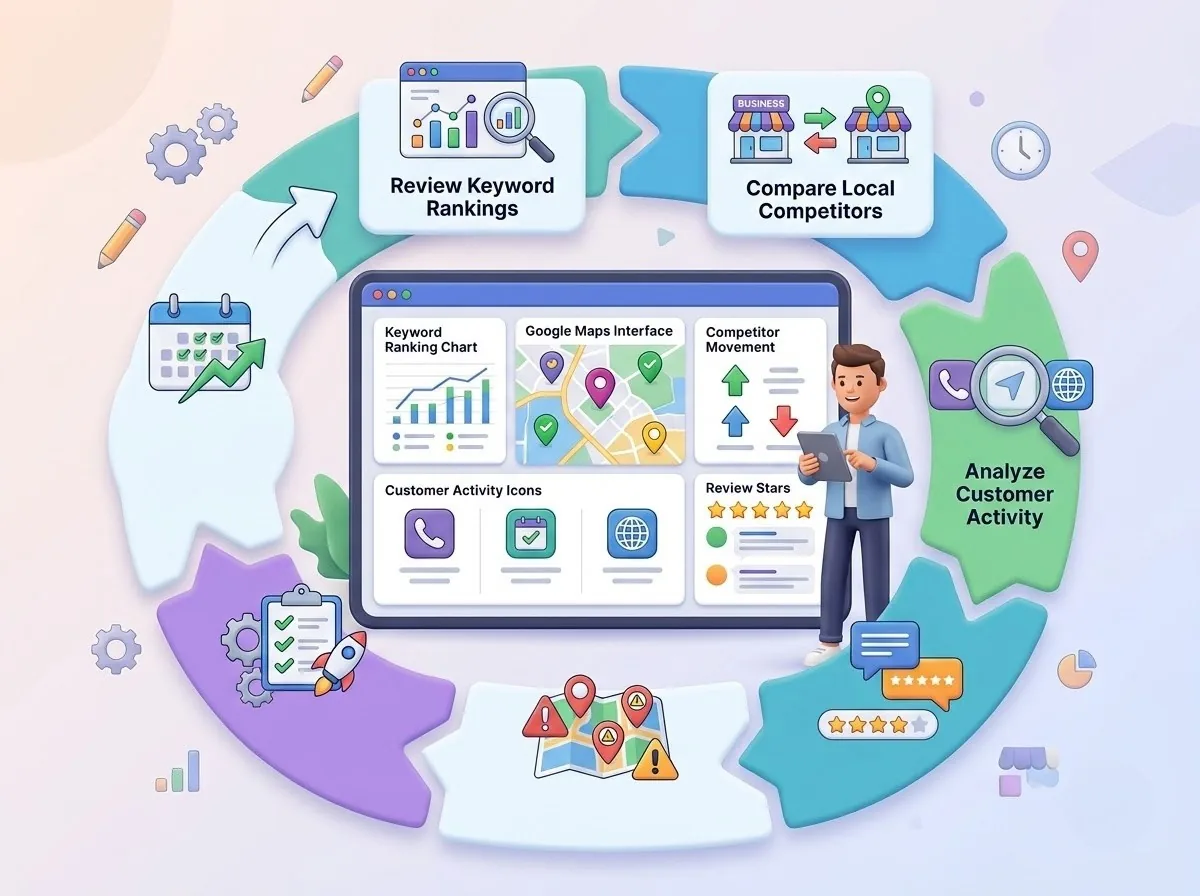
It takes less time than most people expect, and it keeps your local visibility strategy honest.
Know When to Change Your Strategy
Data is only useful if you're willing to act on it. These are the warning signs I watch for:
- Rankings improve, but conversions don't
- Reviews increase, but visibility stays weak
- One neighborhood improves while another declines
- Competitors gain visibility
- Website traffic rises without meaningful customer actions
When I see one of these, I don't panic. I treat it as a clue. For example, if rankings rise but calls stay flat, I check whether the profile's phone number, hours, and call-to-action are as strong as they should be.
With consistent measurement, you'll know what's working, what isn't, and where to focus next. That leaves one more thing to cover: pulling it all together into a long-term approach to local search optimization.
Conclusion
So, where does that leave you? If there's one thing I hope you take away from this guide, it's that local search visibility is much bigger than ranking for a single keyword. It's an ongoing process, and the businesses that win keep working at it.
Let's recap what we covered. A strong local SEO strategy combines:
- A complete and accurate Google Business Profile
- Website content that supports your services and locations
- Consistent business information across every listing
- Genuine customer reviews and an active profile
- Local authority built through partnerships, directories, and backlinks
- Local rank tracking across your whole service area
- Regular local competitors monitoring
- Conversion measurement, so rankings turn into real customer actions
That's where Happy Rank comes in. It shows you where your business is visible, where you're losing ground, and what to improve next, so you can stop guessing and start acting on real data.
Ready to see how your business looks across the map? Run your first scan, find your weak spots, and start closing the gaps. Your next customer is searching right now.
Frequently asked questions
Why does my Google Maps ranking change in different neighborhoods?
Google personalizes local results by the searcher's location. You can rank number one next to your address and drop to page two a few miles away. Geo-grid tracking scans multiple points across your service area to reveal neighborhood-level strengths, weak spots, and where competitors outrank you.
What are the three core signals that influence local search visibility?
Every local ranking comes down to relevance, distance, and prominence. Relevance is whether you match the search, distance is how close you are to the searcher, and prominence is how established and trusted your business is. Focus on relevance and prominence, since you cannot change your location.
How do reviews and profile activity affect local rankings?
Steady authentic reviews, thoughtful responses to positive and negative feedback, fresh photos, Google Business Profile posts, offers, events, and answered Q&A build trust and prominence. Ask every customer after each job, avoid sudden spikes, and keep responses personal and human rather than copy-paste.
How do I keep my business information consistent for local SEO?
Keep your name, address, and phone number identical across your Google Business Profile, website, and every directory. Fix outdated addresses, old phone numbers, abbreviation differences like Street versus St., and duplicate listings from past owners or agencies so search engines can confirm your business.
How should I measure local SEO success beyond rankings?
Track both visibility and business outcomes. Monitor Map Pack rankings, geo-grid visibility, keyword and competitor positions, plus Search and Maps views, website clicks, phone calls, direction requests, and reviews. Compare scans over time and ask whether better visibility generated more calls and visits.